🎯 Learning Objectives
- Assess the functions and features of cloud computing
- Justify the selection of communication platforms
- Evaluate the security of using the cloud for storage and document/data creation
💬 Key Vocabulary
- infrastructure
- local software
- online software
- device
- processing power
- RAM
📝 Starter Activity – Functions and features of cloud computing
Use the functions and features table and phrases below it in the worksheet. To identify what is a feature and what is a function of cloud computing.
A function refers to the specific service models or delivery mechanisms that cloud computing provides to users. It describes how the cloud operates.
A feature refers to the characteristics, traits, and benefits that define the cloud computing environment. It describes what makes cloud computing unique, advantageous, and distinct from traditional computing.
📖 Online Vs Local Software
| Online Software | Local Software |
|---|---|
| Does not require installation onto local drives/servers | Needs time to be installed on all computers |
| Is cost-effective: you only pay for what you need and use | Licences may be bought for staff who do not use all of the available software in the package |
| Software is updated and maintained by the provider | Has to be maintained and updated by maintenance people |
| Is accessible anywhere | Users must be using the computer on which the software is installed |
| Offers direct access for anyone who needs to use it |
📖 Cloud Storage
- Files are stored on remote servers
- When you want to access the file or media, they are downloaded or streamed to your device
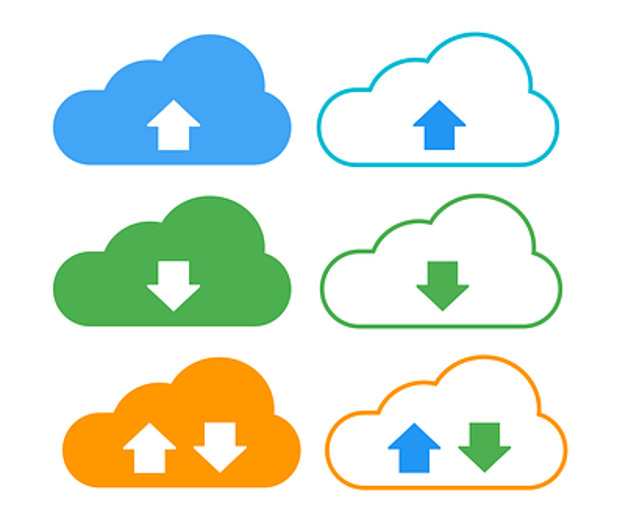
- Files or media can also be uploaded to the cloud for storage (useful for backups)
- Files or media can be synchronised on more than one device so that each device has the same content
- The amount of storage can be increased or decreased as needed (it’s scaleable)
📝 Level 1 – Advantage or disadvantage?
Open a new blank Word document, when the features of cloud computing appear on the screen you should write it down. Then next to it write whether it is an advantage or disadvantage (pro or con for short)
📖 Device considerations
There are many different devices that can be used to access cloud services, and the functionality of each device will have an impact on the quality of service.

Decisions need to be made about: screen size, how portable the device is, what processing power is needed, the amount of data a device can hold, connectivity speed, and what operating system the device uses.
📖 Drawbacks of cloud computing
- You need to have an internet connection to be able to access any cloud service
- Software features may not be compatible, e.g. a document created using Microsoft Word may lose some features when it is uploaded into Google Drive and opened with Google Docs
- Features available on a laptop may not work as well on a mobile device, making the user experience a negative one
- A mobile device may have less processing power and RAM, which creates difficulty when moving between devices to work on a task

📝 Level 2 – Scenario comparison
You have been given two scenarios to read. You need to evaluate how effective each organisation’s use of cloud computing is.
Use the space provided to say which company uses cloud computing well, or not, and give your reasons.
📖 Team management tools and the cloud
Technology has allowed managers to monitor the activities of their team by using scheduling and planning tools.
Think
How do you make sure you remember important events?

📝 Level 3 – What have you learnt?
Use the question sheet below to test your knowledge of today’s topic.
Make sure you read the questions carefully.

📝 Plenary – Exit ticket
Create a multiple-choice question based on today’s learning objectives.
You must provide four answer options, with one of them being the correct answer.
Highlight the correct answer on the ticket.
These will be used at the start of the next lesson.

🏅 Level Up
🥇 Level 1
- Upload your list of advantages and disadvantages of cloud computing to Teams.
🥈 Level 2
- Explain how cloud computing has been used in the two scenarios and upload the finished worksheet to Teams.
🥉 Level 3
- Complete your answer to all the quiz questions and upload to Teams.
In this lesson, you…
- Compared the benefits of online software with locally hosted software
- Explored online tools that facilitate time management
Next lesson, you will…
- Explore how to create an ad hoc network
- Evaluate the benefits and drawbacks of ad hoc networks