🎯 Learning Objectives
- Recall collaboration and communication platforms
- Evaluate effective online communication
- Formulate a proposal that identifies essential skills for the modern workplace
💬 Key Vocabulary
- netiquette
- digital footprint
- empathy
📝 Starter Activity – Collaboration and communication platforms
In a new blank Word document, list as many of the collaboration platforms we looked at last lesson as you can.
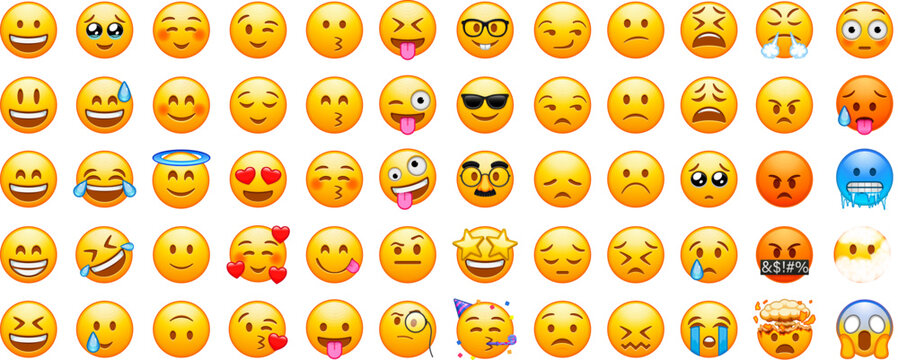
📝 Level 1 – Emojis: why do we use them?
- Have you ever sent a message and had it misunderstood?
- Would we use emojis in a professional setting? Why, or why not?
Write down your answers to these questions in the Level 1 worksheet below.
You will then do a quick quiz on online etiquette (or ‘netiquette’).
📖 Online etiquette (or ‘netiquette’)
Do
- Be concise
- Pick the right tone
- Stick to the point
- Think before sending; reread your message
- Consider other people’s privacy; ask permission before forwarding an email to a third party
- Check the recipients before sending an email
Don’t
- Type all in capitals
- Send frivolous emails such as jokes; the receiver may not have the same sense of humour and may be offended
- Email while angry
- Use abbreviations
It is important to follow online etiquette rules because online communication is devoid of facial cues, tonal cues, and body language, which are important during face-to-face meetings/conversations.
📝 Level 2 – Communication evaluation
In your group, nominate a scribe and a leader.
The scribe will write down notes in Word and compile them; the leader will present your findings to the class.
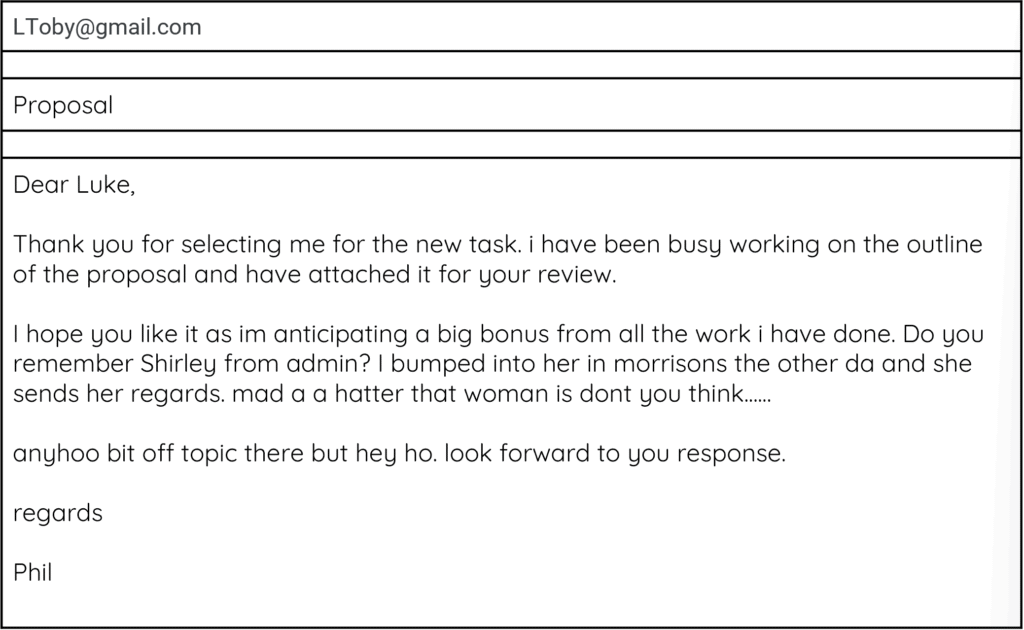
Each group will be given some email scenarios and should identify the flaws in each one.
You must be able to explain why they are flaws.
When you upload your work the scribe should upload the groups notes to Teams, with the team members listed in the notes.

Scenario 1
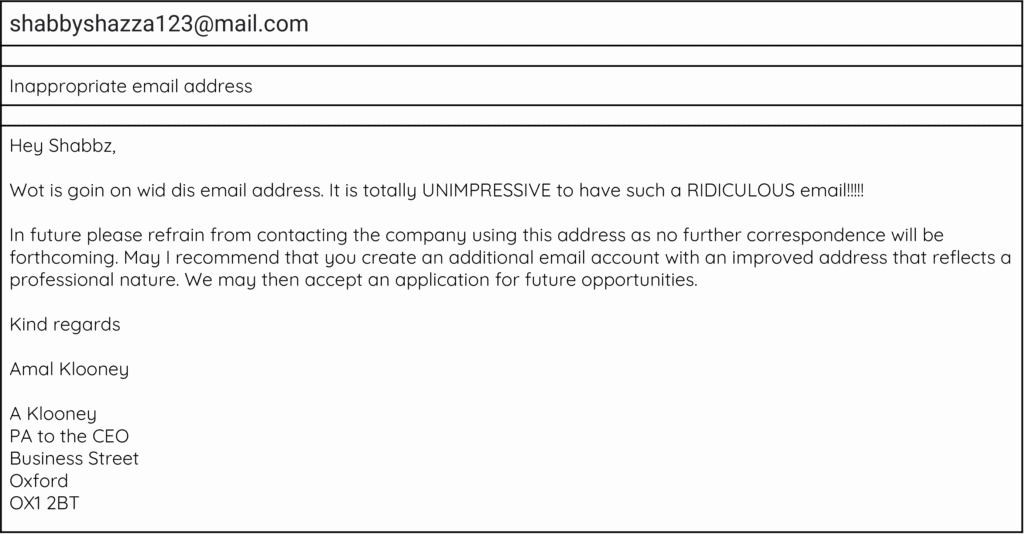
Scenario 2
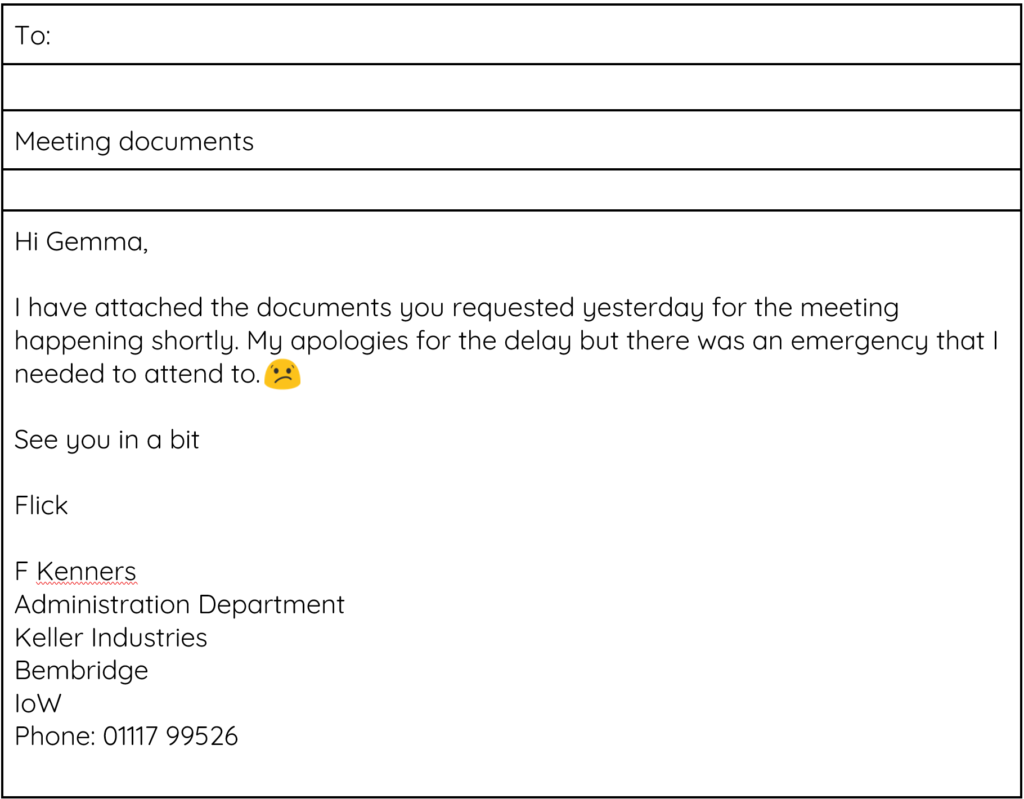
Scenario 3
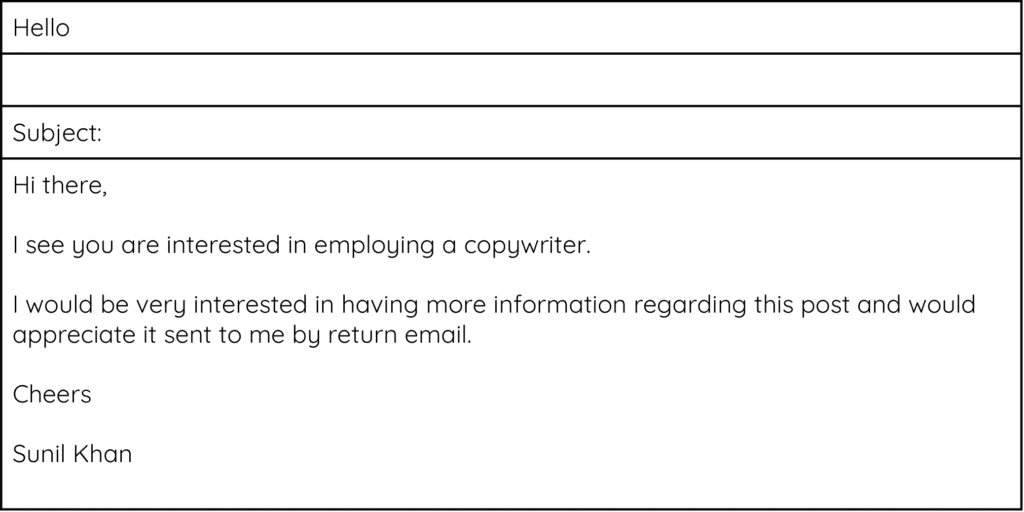
Scenario 4
📝 Level 3 – Advice sheet
You should now have a good understanding of communication and collaboration in the workplace.
You now need to use this knowledge to create an advice sheet for learners who are about to enter the workplace.
This should be created in Word or Powerpoint and then uploaded to Teams when complete.
Include the following:
- A brief introduction to the advice sheet
- Explain effective communication
- Explain effective collaboration
- Include appropriate examples
- Make it appropriate for your audience
- Include between 1 and 3 images that help explain your points
Use the list of dos and don’ts below to help you.
| Dos | Don’ts |
|---|---|
| Stick to your allocated task | Be negative about other members of the team |
| Keep to deadlines | Blame others for your misunderstandings |
| Comment positively when asked to review others’ work | Be offensive in communications |
| Keep in mind the end goal of the combined project | Allow ego to affect team cohesion |
| Communicate with all team members | Overuse messaging services |
| Make all your contributions constructive | |
| Ask questions to clarify thoughts and ideas | |
| Seek feedback when appropriate | |
| Use communication channels for their intended purpose only | |
| Assume good intentions when receiving feedback |
🏅 Level Up
🥇 Level 1
- Complete the discussion on emojis and the quiz on professional communication, then upload this to Teams.
🥈 Level 2
- The scribe for each group must upload the completed notes taken about the scenarios and the issues with each one to Teams. The file must have the name of all team members on it.
🥉 Level 3
- Upload the advice sheet you have created on communication and collaboration in the workplace to Teams.
In this lesson, you…
- Evaluated effective online communication
- Identified a professional style when communicating online
Next lesson, you will…
- Evaluate the benefits and drawbacks of cloud computing