🎯 Learning Objectives
- Recognise how human errors pose security risks to data
- Implement strategies to minimise the risk of data being compromised through human error
💬 Key Vocabulary
- social engineering
- phishing
- blagging
- shouldering
- name generator attack
- scam
📝 Starter Activity – Which rock star are you?
Click the link below to find out which rock star you are. Click the run button at the top right of the screen to run the program.

📖 Social engineering
There are lots of technical ways to try and keep data safe and secure.
However, human error arguably creates the largest risk of the data being compromised.
Social engineering is a set of methods used by cybercriminals to deceive individuals into handing over information that they can use for fraudulent purposes.
What’s different about social engineering, in comparison to other cybercrimes, is that it is humans trying to trick or manipulate other humans.

📖 Types of Social Engineering Attacks
Shouldering
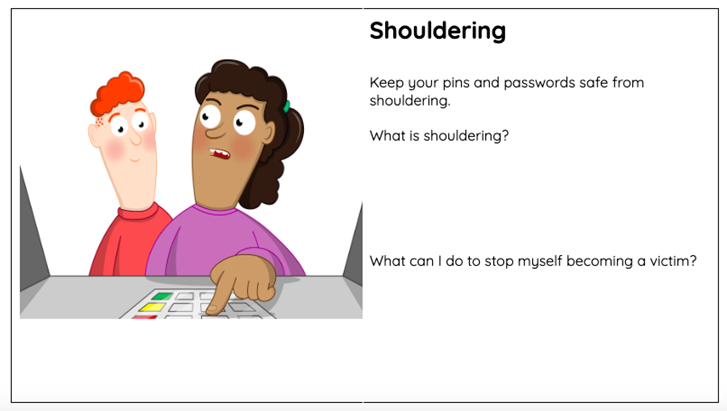
Shouldering (also known as shoulder surfing) is an attack designed to steal a victim’s password or other sensitive data.
It involves the attacker watching the victim while they provide sensitive information, for example, over their shoulder. This type of attack might be familiar; it is often used to find out someone’s PIN at a cash machine.

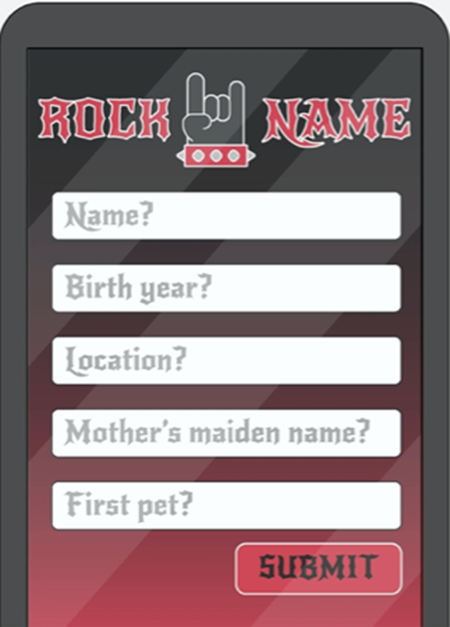
Name generator attacks
These are attacks in which the victim is asked in an app or a social media post to combine a few pieces of information or complete a short quiz to produce a name.
Attackers do this to find out key pieces of information that can help them to answer the security questions that protect people’s accounts.
Phishing
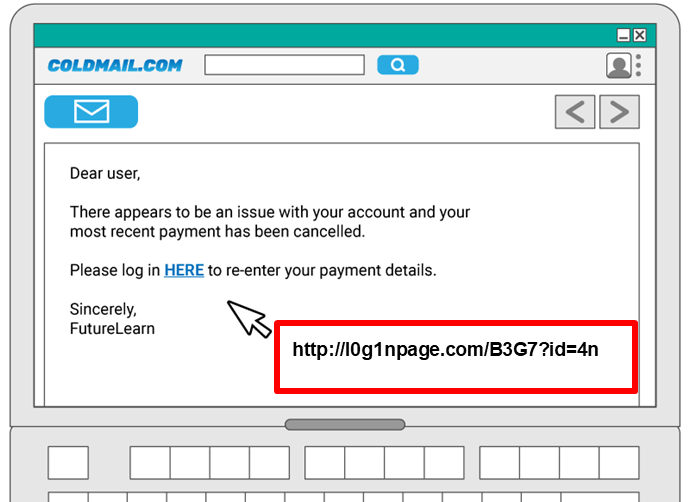
A phishing attack is an attack in which the victim receives an email disguised to look as if it has come from a reputable source, in order to trick them into giving up valuable data.
The email usually provides a link to another website where the information can be inputted.
It is called phishing, as in ‘fishing’, because:
- A line is thrown out into a place where there are many potential ‘fish’ (victims)
- The line has bait on the end in order to attract the victims
- If a victim bites (clicks the link) they are hooked in

Phishing: Key indicators of a phishing email
- Unexpected email with a request for information
- Message content contains spelling errors
- Suspicious hyperlinks in email
- Text that is hyperlinked to a web address that contains spelling errors and/or lots of random numbers and letters
- Text that is hyperlinked to a domain name that you don’t recognise and/or isn’t connected to the email sender
- Generic emails that don’t address you by name or contain any personal information that you would expect the sender to know
📝 Level 1/2 – Social Engineering
Download the Level 1/2 worksheet and complete Activity 1: Phishing.
Blagging
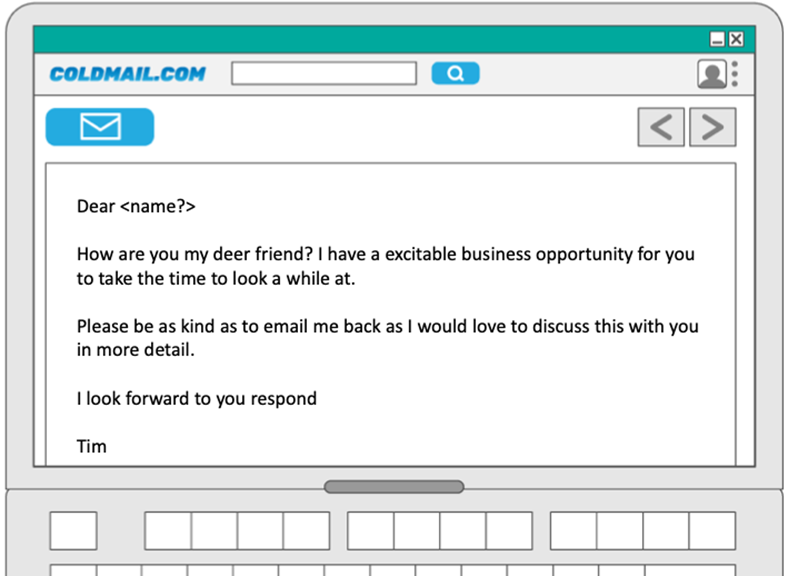
Blagging (also known as pretexting) is an attack in which the perpetrator invents a scenario in order to convince the victim to give them data or money.
This attack often requires the attacker to maintain a conversation with the victim until they are persuaded to give up whatever the attacker asked for.
This email doesn’t contain a hyperlink to click on, but it does include suspicious information.
Complete Activity 2: Blagging in the Level 1/2 Worksheet to highlight the suspicious parts.
📝 Phishing or blagging?

Watch this video
Answer the following questions in Activity 3: Video in your Level 1/2 worksheet.
- What is the difference between phishing and blagging?
- Was what happens on this video phishing or blagging?
- What about the email made it suspicious?
📝 Protecting your customers
Put yourself in the shoes of the cybersecurity team of a national bank. Your job is to try to prevent your customers becoming victims of social engineering.
Complete Activity 4.1 and 4.2 on your worksheet.
If you are able, also complete the Explorer task for a positive point.
When all activities are complete upload the Level 1/2 worksheet to the Teams assignment.
📝 Level 3 – Plenary Questions
Download the Level 3 worksheet and complete the questions.
🏅 Level Up
🥇 Level 1
- Complete activities 1 and 2 from the Level 1/2 worksheet and upload the worksheet to Teams.
🥈 Level 2
- Complete activities 3 and 4 from the Level 1/2 worksheet and upload the worksheet to Teams.
🥉 Level 3
- Complete correctly and upload the Level 3 worksheet to Teams.
In this lesson, you…
- Recognised that human errors pose security risks to data.
- Looked at strategies to minimise the risk of data being compromised through human error.
Next lesson, you will…
- Look at common methods used by hackers and what laws are in place to act as deterrents.