So far in Online Safety, you’ve learnt…
- What cyberbullying is and how to report it
- What information and photos you should and should not send online
In this topic, you will…
- Discuss the main safety concerns of being online
- Explain how data is collected on and how it is used
- Identify ways to protect one’s data online
- Define the term ‘fake news’ and discuss the quantity of fake news available online
🎯 Learning Objectives
- Discuss the main safety concerns of being online
- Introduce key concepts that will be discussed in this topic
- Reflect on your own online activity from a safety perspective
💬 Key Vocabulary
- Big data
- encryption
- censorship
- filter bubble
- digital personality
- fake news
🥇 Level 1 – Key Word Definitions
Before we delve into this topic you need to know about several key words and what they mean.
Download the Level 1 activity below and use your own knowledge and the internet to find definitions for each. You MUST write in your own words if you use the internet.
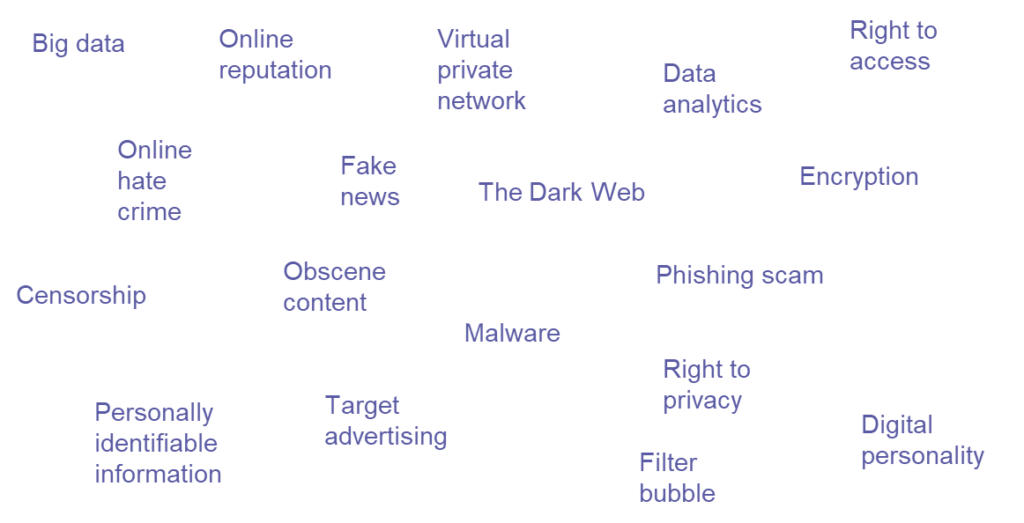
🥈 Level 2 – Sorting Exercise
From the keywords in the previous exercise, how many of them are online safety threats?
For each threat, is it:
- Illegal or legal?
- A common occurrence, or quite rare?
- Something that has happened to you, or something that hasn’t happened to you before?
- Something you can protect yourself from, or something you can’t protect yourself from?
Download the Level 2 activity below and use it to sort the keywords from the previous exercise into the various boxes.
🥉 Level 3 – Using the Internet
Get into pairs.
What do you use the internet for?
In your pairs, list as many ways as you can in which you (or someone else) might use the internet. Use a new Word document for this, you should both write the information down.
We will discuss as a class what each pair has listed. You have 5 minutes.
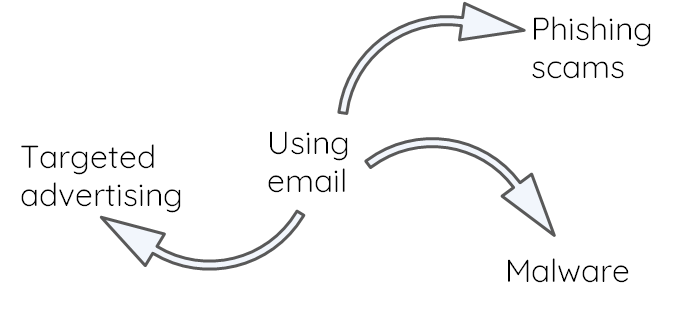
How does using the internet expose you to online safety threats?
- For each of the different internet activities your pair came up with, list any potential online safety threats that the activity exposes you to.
- The example shows the threats that using email can expose you to:
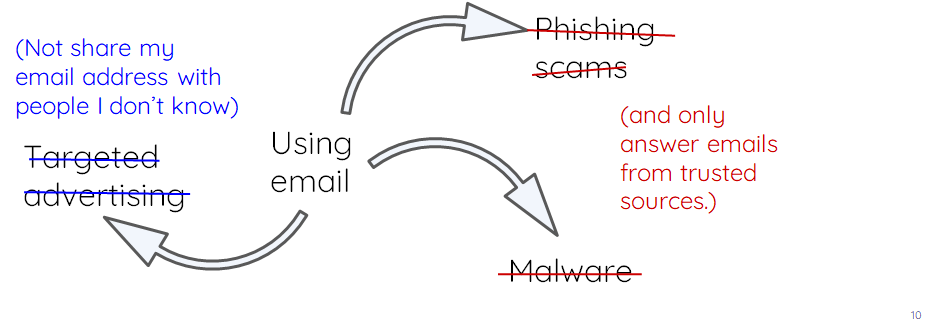
How can you protect yourself online?
- Now list any precautions you take when you are online to protect yourself from the online safety threats you identified?
- Check the example for ideas.
You need to upload the completed Word document with the ways you use the internet, the threats that happen as a result and how you can protect yourself.
📝 Plenary – Questionnaire
- How confident are you in your knowledge of online safety?
- Fill out the questionnaire by clicking the download link below. There are no wrong answers, so answer honestly.
🏅 Level Up
🥇 Level 1
- Upload your completed Level 1 – Key Word Definitions worksheet to the Teams assignment.
🥈 Level 2
- Upload your completed Level 2 – Sorting Exercise worksheet to the Teams assignment.
🥉 Level 3
- Upload your completed Word document with the ways you use the internet, the threats that happen as a result and how you can protect yourself to the Teams assignment.
In this lesson, you…
- Started thinking about your online activities from a safety perspective
Next lesson, you will…
- Consider your online reputation, how it might be threatened, and how to protect it