🎯 Learning Objectives
- Log into my TypingClub account and open my lesson dashboard independently.
- Sit with good typing posture and rest my fingers on the home row keys (
FandJ). - Complete the practice lessons with at least 90% accuracy while keeping my eyes on the screen.
💬 Key Vocabulary
- typing
- touch typing
- home row
📖 Creating your account
You will be using the Typing Club website to learn how to touch type.
Carre’s Grammar students click here
Kesteven & Sleaford High School students click here
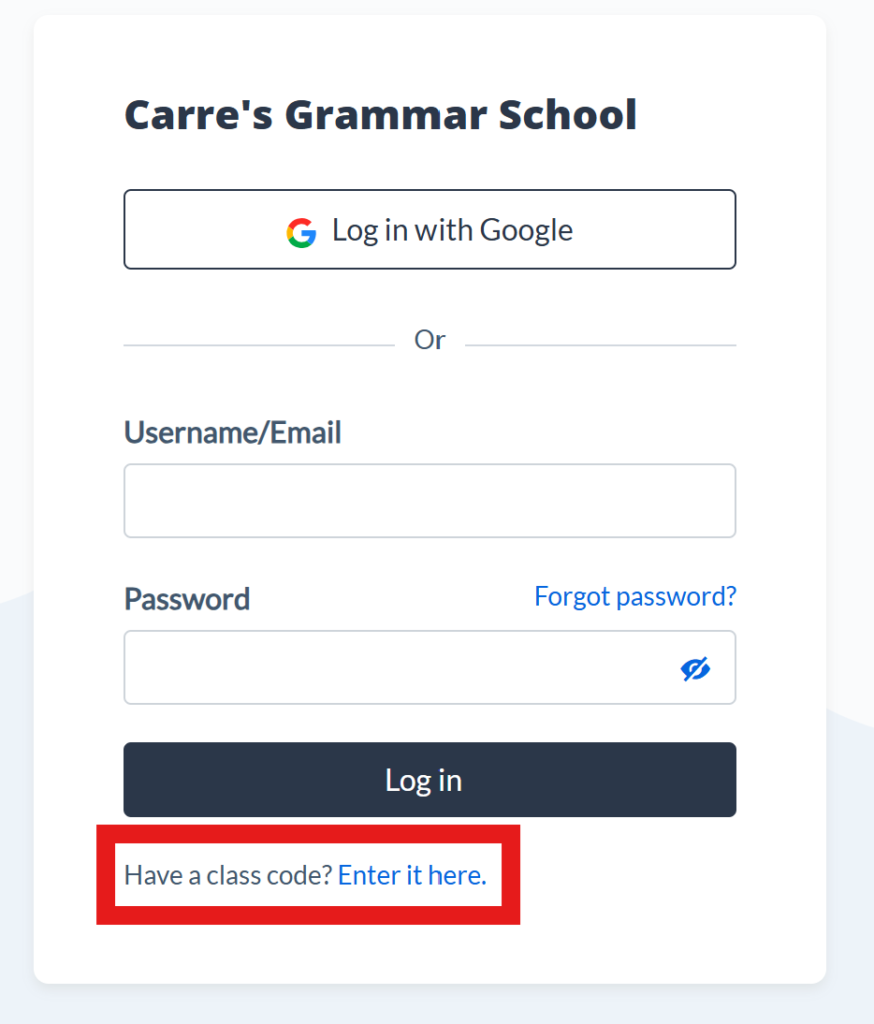
Then click on the “Enter it here” link on the screen that appears. Your teacher will show a code for you to enter.
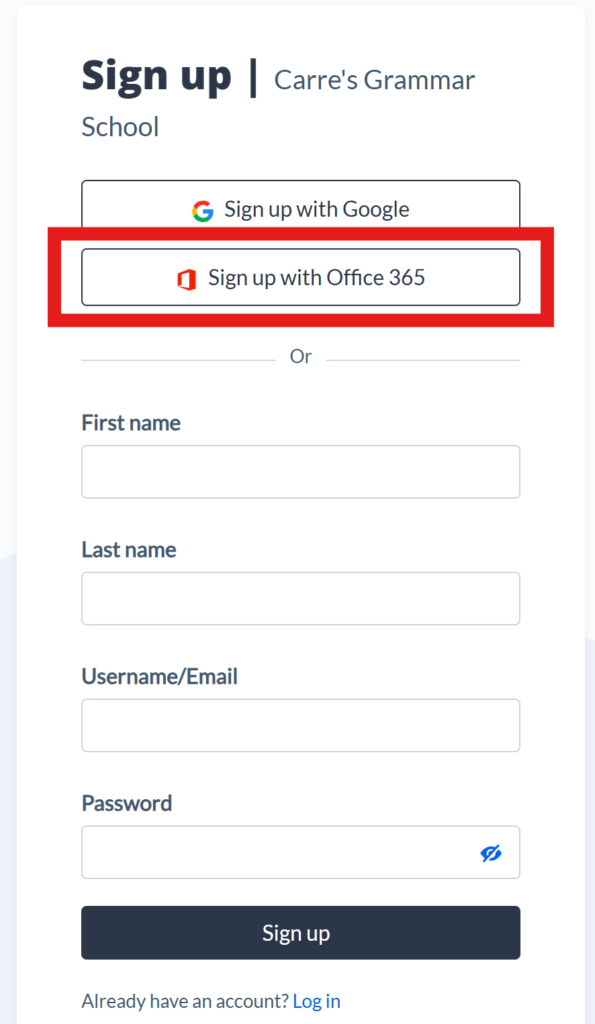
Then click the “Sign up with Office 365” link, this will sign you in using your school Microsoft account. You may need to accept giving the website your information.
Your teacher will now show you how to use the website and what you will need to do for homework over the coming term.